
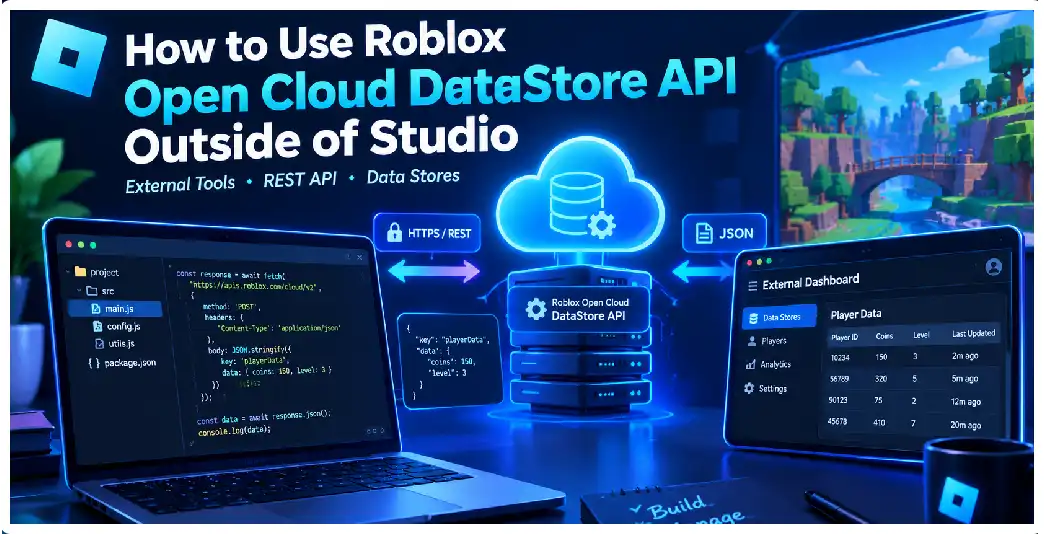
Roblox Data Stores are normally accessed from code running inside a Roblox experience through the DataStoreService API. However, developers can also work with persistent game data from software running outside Roblox Studio and outside live Roblox servers by using the Open Cloud Data Store API. This opens the door to external dashboards, customer-support tools, migration utilities, administration panels, automated scripts, analytics systems, and websites that need controlled access to an experience’s persistent data.
The important difference is that an external application does not operate inside the Roblox execution environment. It communicates with Roblox through HTTPS requests and must identify the target universe, data store, entry, and authorization credentials explicitly. The current Open Cloud API provides stable endpoints for listing data stores, listing entries, reading entries, creating entries, updating entries, deleting entries, incrementing entries, and accessing entry revisions.
This makes Open Cloud particularly useful when you need to perform an operation without opening Studio or joining the game. For example, a support employee could use an internal application to inspect a player’s saved inventory, a developer could write a migration script that transforms thousands of records, or a website could display information derived from an ordered data store. External scripts can be written in languages such as JavaScript, Python, C#, Go, PHP, or any other language capable of making HTTPS requests.
What Is the Open Cloud Data Store API?
The Open Cloud Data Store API is an HTTP-based interface for interacting with Roblox data stores from external applications. Instead of calling methods such as GetAsync() or SetAsync() from Luau, your external program sends an authenticated HTTP request to an Open Cloud endpoint. The endpoint identifies the universe and the relevant data store or entry.
This distinction is important because DataStoreService and Open Cloud have different programming models. DataStoreService operates within the game environment and already knows the context of the experience in which the server is running. Open Cloud is stateless from the perspective of your external application, so requests need to identify the universe explicitly.
For example, an external application may conceptually perform operations like:
GET    a data store
GET    entries in a data store
GET    one specific entry
POST   create an entry
PATCH  update an entry
POST   increment an entry
DELETE an entry
GET    entry revisions
The current stable Open Cloud storage API uses endpoints under the /cloud/v2/ path. The exact path depends on whether you are working with the data store itself, an individual entry, a scoped entry, or an ordered data store.
Why Use Open Cloud Instead of Studio?
Studio is excellent for developing and testing Roblox experiences, but it is not the only place where persistent data can be managed. Open Cloud is designed specifically for external applications and tools. This means your workflow can move beyond the Studio interface.
Imagine that your game has thousands of player profiles containing currencies, experience points, inventory items, achievements, and configuration data. If you need to inspect a particular profile, manually joining a server or creating temporary Studio tooling may be inconvenient. An external support application can instead request the relevant entry directly, provided the application’s credentials have the appropriate permissions.
Open Cloud is also useful for bulk operations. A developer might need to migrate an old player-data schema to a new format, inspect data-store keys, build an external leaderboard, or automate administrative tasks. The official documentation specifically describes external support portals and schema-migration workflows as use cases.
Understanding Universe IDs
One of the first concepts you need to understand is the universe ID. When your code runs inside an experience, the engine already knows which game environment it belongs to. An external HTTP request does not have that implicit context, so the universe ID must be supplied in the API URL.
A simplified endpoint has a structure similar to:
https://apis.roblox.com/cloud/v2/universes/{universe_id}/...
You replace {universe_id} with the ID of the experience whose data you want to access. The universe is the larger experience container, while individual places belong to that experience. Data stores are associated with the universe rather than being isolated by individual server instances.
This is especially important if your experience contains multiple places. Data stores can be shared across places belonging to the same game, so an external application should use the universe identifier rather than assuming that a place ID is the same thing.
Creating an API Key
Authentication is one of the most important parts of an Open Cloud integration. Open Cloud supports API-key authentication, and requests using an API key include it through the x-api-key HTTP header. API keys can be configured with granular permissions so that an application receives only the access it needs.
The basic architecture looks like this:
Your external application
        |
        | HTTPS request
        |
        v
Open Cloud API
        |
        | authenticated using x-api-key
        |
        v
Your Roblox universe
        |
        v
Data Store
Do not think of an API key as an ordinary configuration value that can safely be embedded into a public website. It is a credential that authorizes access to Roblox resources. If someone obtains a key with write or delete permissions, they may be able to modify or remove data that the key is authorized to access.
Use the Principle of Least Privilege
When creating an API key, grant only the permissions required by your application. For example, a read-only dashboard should not receive permissions that allow it to delete entries. Similarly, an application that only needs to update an existing inventory record should not automatically receive every possible data-store permission.
Current Open Cloud scopes distinguish operations such as listing data stores, listing entries, reading entries, creating entries, updating entries, deleting entries, and accessing revisions. Some permissions can also be targeted to specific universes and data stores.
This provides a powerful security boundary. Consider a customer-support application that only needs to inspect and modify a player’s inventory. Giving that application unrestricted access to every game resource would create unnecessary risk. A narrowly scoped key is easier to protect and easier to revoke or replace if necessary.
Store the API Key Outside Your Source Code
A common mistake is putting an API key directly into source code:
const apiKey = "MY_SECRET_API_KEY";
That may expose the credential through Git repositories, logs, screenshots, shared projects, deployment artifacts, or client-side code. A safer pattern is to store the credential in a server-side environment variable or an appropriate secrets-management system.
For example:
const apiKey = process.env.ROBLOX_API_KEY;

if (!apiKey) {
    throw new Error("ROBLOX_API_KEY is not configured");
}
Your external application then reads the credential when it starts. The secret remains outside the source code. The important principle is that the credential should remain on infrastructure you control and should never be distributed to untrusted users.
Your First Open Cloud Request
Suppose your application wants to retrieve a data-store entry. A simplified Node.js request can look like this:
const universeId = process.env.ROBLOX_UNIVERSE_ID;
const apiKey = process.env.ROBLOX_API_KEY;

const dataStoreId = "PlayerData";
const entryId = "123456789";

const url =
    `https://apis.roblox.com/cloud/v2/universes/${universeId}` +
    `/data-stores/${encodeURIComponent(dataStoreId)}` +
    `/entries/${encodeURIComponent(entryId)}`;

const response = await fetch(url, {
    method: "GET",
    headers: {
        "x-api-key": apiKey
    }
});

if (!response.ok) {
    throw new Error(`Roblox API returned ${response.status}`);
}

const result = await response.json();

console.log(result);
The important components are the universe ID, data-store identifier, entry identifier, and API-key header. The external application is not using DataStoreService directly; it is making an HTTPS request to Open Cloud.
Data Serialization Is Different Outside Roblox
One of the biggest conceptual differences is serialization. DataStoreService handles serialization and deserialization for you when using its engine APIs. With Open Cloud, your external application is responsible for converting data into the appropriate serialized representation and parsing returned content.
For example, suppose your game stores:
{
    coins = 2500,
    level = 42,
    inventory = {
        "Sword",
        "Shield",
        "Potion"
    }
}
An external program generally represents the object as JSON before transmitting it:
{
  "coins": 2500,
  "level": 42,
  "inventory": [
    "Sword",
    "Shield",
    "Potion"
  ]
}
Your application therefore needs to understand the schema used by the game. The API does not magically know that coins is supposed to be an integer or that inventory is supposed to be an array. That meaning belongs to your game’s data model.
Reading an Entry
A typical external data-management workflow begins by reading the entry.
async function getEntry(universeId, dataStoreId, entryId, apiKey) {
    const url =
        `https://apis.roblox.com/cloud/v2/universes/${universeId}` +
        `/data-stores/${encodeURIComponent(dataStoreId)}` +
        `/entries/${encodeURIComponent(entryId)}`;

    const response = await fetch(url, {
        headers: {
            "x-api-key": apiKey
        }
    });

    if (!response.ok) {
        const body = await response.text();
        throw new Error(`GET failed: ${response.status} ${body}`);
    }

    return response.json();
}
Before changing an entry, reading the current version can be useful because your external program needs to understand the existing schema and avoid accidentally discarding fields that it does not understand. The API provides dedicated read and update operations.
Creating and Updating Entries
The current API separates creation and updating operations. This differs from the way developers may be accustomed to thinking about SetAsync() in the engine API, where setting a key can create it if it does not already exist. Open Cloud’s separation gives you more granular permission control.
The conceptual difference is:
Create:
"No entry should exist yet."

Update:
"This entry already exists and I want to change it."
That distinction can be valuable in administrative applications. For example, you may want a support tool to update an existing player’s profile but prevent the tool from accidentally creating arbitrary new player records.
Incrementing Values
Open Cloud also provides an increment operation. This can be useful for numeric values such as counters or scores where you need to add or subtract an amount without manually implementing the entire update operation externally. The current storage API exposes an increment endpoint for standard data-store entries.
For example, conceptually:
Current coins: 500

Increment: +100

New value: 600
The exact request format should follow the current endpoint reference because request schemas can evolve. Your implementation should avoid hard-coding assumptions from outdated examples when the current stable API provides newer endpoint definitions.
Listing Data Stores
You do not necessarily have to know every data store in advance. Open Cloud provides an endpoint for listing data stores associated with a universe. It also provides an endpoint for listing entries within a data store.
This is useful for administration tools:
External Dashboard
        |
        +-- List data stores
        |
        +-- Select PlayerData
        |
        +-- List entries
        |
        +-- Select player key
        |
        +-- Read entry
However, listing large collections can require pagination, which means your application should not assume that one API response contains every entry. The official external data-store examples explicitly demonstrate pagination using maxPageSize and pageToken.
Handling Pagination
A common mistake is writing code such as:
const response = await fetch(url);
const data = await response.json();

// Assume data contains every entry.
That approach may work during testing with a small data store but become incorrect as the data set grows.
A better design is:
Request first page
       |
       v
Process entries
       |
       v
Is there a next page?
       |
   +---+---+
   |       |
  Yes      No
   |       |
   v       v
Request   Finish
next page
Your code should inspect the response for pagination information and continue until there is no next page. The exact response fields should be implemented according to the current API schema.
Updating Player Data Safely
Suppose your game stores player data like:
{
  "coins": 1200,
  "level": 25,
  "gems": 50,
  "inventory": ["Sword", "Potion"]
}
A dangerous administrative operation might replace the entire record with:
{
  "coins": 1500
}
If the update semantics replace the entry value, fields such as level, gems, and inventory may be lost.
Therefore, an external management tool should understand the complete schema before performing destructive updates. Read the record, validate it, modify only the intended fields, and write the resulting representation according to the API’s update semantics. This is particularly important when multiple systems can update the same player’s data.
Data Store Versions and Revisions
Persistent game data sometimes needs investigation after an unexpected change. Open Cloud provides functionality for listing revisions of data-store entries. This can help developers understand how an entry has changed over time and can support administrative or recovery workflows.
A good support application can therefore provide:
Player
  |
  +-- Current profile
  |
  +-- Previous revisions
  |
  +-- Last modification
  |
  +-- Administrative action
Revision information should be treated as an investigation tool rather than a replacement for backups and careful application design.
Rate Limits Matter
Open Cloud does not mean that you can issue unlimited requests. Data-store request limits are shared between game-server usage and Open Cloud traffic. Consequently, heavy external automation can interact with the same overall budget used by in-experience data-store operations.
The documented limits depend on the operation type and concurrent-user count. Read, write, list, and removal operations have different request limits, and the budget is shared between the relevant game-server and Open Cloud operations.
This is one reason you should not build a script that blindly loops through thousands of entries as quickly as possible. Instead, use controlled batching, pagination, retry handling, and appropriate delays where necessary.
Build Retry Logic Carefully
Network requests can fail. An external application should distinguish between temporary failures and permanent failures.
A conceptual retry strategy is:
Request
  |
  +-- Success --> Continue
  |
  +-- Temporary failure --> Wait --> Retry
  |
  +-- Authentication failure --> Stop and alert
  |
  +-- Permission failure --> Stop and alert
  |
  +-- Invalid request --> Fix request
Do not retry every HTTP status indefinitely. Authentication and permission problems generally require configuration changes rather than repeated requests. Temporary service or rate-limit conditions may warrant controlled retries.
A production implementation should also use exponential backoff so that a problem does not cause hundreds of simultaneous retries.
Build a Dry-Run Mode
For migration and administration tools, a dry-run mode is extremely useful.
Instead of:
Read -> Modify -> Write
you can initially use:
Read -> Modify in memory -> Display proposed change
For example:
const before = profile;

const after = {
    ...profile,
    coins: profile.coins + 500
};

console.log({
    before,
    after,
    dryRun: true
});
Only after verifying the transformation should the application perform the write operation.
This is especially important when migrating large numbers of records because a programming mistake can potentially affect many entries.
Open Cloud Versus DataStoreService
A useful way to understand the relationship is:
| Requirement | Engine API | Open Cloud API |
|---|---|---|
| Code runs inside Roblox server | Yes | No |
| Code runs outside Studio | Not applicable | Yes |
| External website | No | Yes |
| External administration tool | Not directly | Yes |
| Data persistence | Yes | Yes |
| Uses universe ID explicitly | Not normally | Yes |
| Authentication through Open Cloud credentials | No | Yes |
| JSON serialization handled automatically | Engine handles it | External application handles it |
| External scripting languages | No | Yes |
| Granular external permissions | Different model | Yes |
Open Cloud and DataStoreService access the same underlying persistent data, but they are different interfaces with different execution and authentication models.
Do Not Put the API Key in a Roblox LocalScript
Never create a LocalScript containing:
local API_KEY = "secret-key"
and assume the key is protected.
Anything distributed to the client should be considered potentially accessible to the client. An Open Cloud credential belongs on a trusted server-side system, not in code delivered to players.
A safer architecture is:
Player
  |
  v
Your Website
  |
  v
Your Secure Backend
  |
  | x-api-key
  v
Open Cloud
  |
  v
Roblox Data Store
The player interacts with your application, while your backend holds the credential and decides what operations are allowed.
Building a Player Support Dashboard
One of the strongest practical applications is a customer-support dashboard.
A support agent might enter:
Player ID: 123456789
The backend can then:
- Validate the support user’s authorization.
- Request the appropriate data-store entry.
- Parse the returned data.
- Display safe fields.
- Allow only permitted changes.
- Validate the requested change.
- Write the modified entry.
- Record an audit event in the support system.
This architecture separates the support interface from the Roblox credential. The API key remains server-side while the support agent receives only the capabilities granted by your own application. External support portals are an explicit use case for Open Cloud data stores.
External Leaderboards
Ordered data stores are another important Open Cloud use case. They can be accessed externally, making it possible to build websites or dashboards that display persistent ranking information.
For example:
Roblox Experience
       |
       v
Ordered Data Store
       |
       v
Open Cloud API
       |
       v
Your Website
       |
       v
Global Leaderboard
The external website should not expose the API key to visitors. The backend should retrieve the ranking data and provide only the information that the public page needs.
Schema Migration
Suppose version one stores:
{
  "coins": 100,
  "level": 20
}
and version two requires:
{
  "currency": {
    "coins": 100,
    "gems": 0
  },
  "progression": {
    "level": 20
  }
}
An external migration program can read existing entries, transform them, validate the new schema, and write them into a new data store or update them according to your migration strategy. Schema migration is specifically identified as an Open Cloud use case.
For large migrations, use checkpoints. Do not design the program so that one crash forces you to restart from the beginning.
A robust migration system can store:
Last processed key
Number processed
Number successful
Number failed
Last error
Migration version
This makes the process resumable.
Open Cloud and Security
Data stores can contain sensitive player information and valuable virtual assets, so permission design matters. The available Open Cloud scopes are intentionally granular and can be targeted to particular resources in supported cases.
Security should therefore exist at several levels:
Layer 1: API credential security
Layer 2: Open Cloud permissions
Layer 3: Your application's authentication
Layer 4: Your application's authorization
Layer 5: Input validation
Layer 6: Audit logging
Layer 7: Rate limiting
Having an API key does not automatically make an application secure. Your backend must still determine who is allowed to request an operation and whether the requested operation makes sense.
Using OAuth 2.0 Instead of API Keys
API keys are not the only Open Cloud authentication mechanism. OAuth 2.0 is also available for Open Cloud, although its current documentation describes OAuth 2.0 as a beta feature. It is designed for applications that need users or creators to authorize access without handing their Roblox credentials directly to the application.
This becomes particularly relevant if you are building a service intended for multiple creators rather than a private tool for one game.
For a private administrative script, an appropriately restricted API key may be simpler. For a multi-user application where different creators authorize access to their own experiences, an OAuth-based architecture may be more appropriate.
Handling Non-Finite Numbers
There is another technical issue developers should know about: Roblox engine data can contain non-finite Luau numbers, while standard JSON does not represent values such as positive infinity, negative infinity, and NaN in the ordinary JSON number model. Open Cloud therefore uses tagged JSON representations when such values appear in data written through the engine API.
If your data schema can contain unusual numeric values, your external application must account for these representations rather than assuming every returned numeric value is a normal JSON number.
For most conventional player profiles containing integers, strings, booleans, arrays, and objects, this will not be a major concern, but it is important for specialized numerical systems.
A Practical Production Architecture
For a serious external application, use an architecture similar to:
                    ┌──────────────────┐
                    │ Admin / Website  │
                    └────────┬─────────┘
                             │
                             v
                    ┌──────────────────┐
                    │ Secure Backend   │
                    │ Authentication   │
                    │ Authorization    │
                    │ Validation       │
                    └────────┬─────────┘
                             │
                    API credential
                             │
                             v
                    ┌──────────────────┐
                    │ Open Cloud API   │
                    └────────┬─────────┘
                             │
                             v
                    ┌──────────────────┐
                    │ Roblox DataStore │
                    └──────────────────┘
This architecture prevents the browser from directly holding the Open Cloud credential. It also allows you to add your own business rules before data reaches the Roblox API.
Testing Without Risking Production Data
Do not begin by experimenting on your most important live player data. Create a dedicated development data store or development universe and test operations there first.
Your test plan should cover:
Read existing entry
Create entry
Update entry
Increment value
Delete entry
List entries
Pagination
Permission failures
Invalid entry
Rate limiting
Network failure
Malformed data
Retry behavior
The purpose of this process is not simply to prove that an HTTP request works. You need to prove that your application behaves correctly when the request fails.
A Good External Data-Store Workflow
A reliable workflow looks like this:
1. Authenticate your application
2. Validate the operator
3. Validate universe ID
4. Validate data-store ID
5. Validate entry ID
6. Read current data
7. Validate schema
8. Apply controlled modification
9. Validate resulting object
10. Write through Open Cloud
11. Confirm result
12. Record audit information
This approach is much safer than giving an administrator a raw “edit JSON” box and sending whatever they enter directly to the API.
UK, USA, and Canada Considerations
The technical Open Cloud process is not fundamentally different because a developer or company is located in the United Kingdom, United States, or Canada. The API endpoints, authentication model, universe identifiers, and data-store concepts are platform-level mechanisms.
However, teams operating in different jurisdictions should independently consider their own organizational requirements concerning access control, retention, customer information, internal audit procedures, and applicable privacy or security obligations. Those requirements should be handled as part of your application’s governance rather than assumed to be solved by the Open Cloud API itself.
Common Mistakes
Mistake 1: Using a place ID instead of a universe ID
Open Cloud data-store requests require the universe context. Do not automatically copy the place ID from a browser URL and assume it is the required identifier.
Mistake 2: Giving every permission to one API key
Use only the scopes required for the application. Granular scopes exist specifically to limit access.
Mistake 3: Hard-coding the API key
Use environment variables or secure secret storage.
Mistake 4: Assuming one request returns every entry
Use pagination for potentially large collections.
Mistake 5: Ignoring shared rate limits
Open Cloud and game-server data-store operations share relevant budgets.
Mistake 6: Replacing data without understanding the schema
Read, validate, modify, and carefully write the complete intended representation.
Mistake 7: Giving the browser the API key
Keep privileged credentials on your trusted backend.
Frequently Asked Questions
Can I access a Roblox Data Store without opening Studio?
Yes. Open Cloud provides external access to standard and ordered data stores through HTTPS APIs.
Can I use Python?
Yes. Open Cloud APIs can be called from programming languages capable of sending HTTP requests, and official examples demonstrate Python and JavaScript approaches.
Can I use Node.js?
Yes. Node.js is suitable for building external Open Cloud applications and is used in official examples.
Does the API key work from a browser?
Technically an HTTP client can send requests, but placing a privileged API key in browser-side JavaScript exposes the credential. A secure architecture keeps the key on a server-side backend.
Can I read player data using Open Cloud?
Yes, if your API key has the appropriate data-store permissions and the requested entry exists.
Can I update player data?
Yes. The current API provides an update-entry operation, subject to the permissions attached to your credentials.
Can I delete entries?
Yes, the current API exposes a delete-entry operation, but deletion should be tightly restricted because it is destructive.
Can I list all data-store entries?
The API provides list-entry endpoints, but large collections must be handled using pagination rather than assuming one response contains everything.
Can I migrate thousands of players?
Yes, but you should design the migration around pagination, rate limits, checkpoints, validation, retries, and resumability.
Is Open Cloud the same as DataStoreService?
No. They access the same underlying persistent data but use different interfaces and execution models. Open Cloud is intended for external tools and requires explicit universe identification and external serialization.
Can an external website show a Roblox leaderboard?
Yes. Ordered data stores can be accessed through Open Cloud, making external leaderboard applications possible.
Does Open Cloud eliminate Roblox data-store limits?
No. Open Cloud traffic participates in documented data-store budgets, and Open Cloud and game-server operations share relevant limits.
Should I use an API key or OAuth?
For a private tool controlled by one creator, an appropriately scoped API key can be straightforward. For applications where different creators authorize your service to access their resources, OAuth 2.0 can provide a more appropriate authorization model.
Final Checklist
Before putting your Open Cloud Data Store application into production, verify:
- Your universe ID is correct.
- Your data-store ID is correct.
- Your API key is stored securely.
- Only required scopes are enabled.
- Resource restrictions are configured where appropriate.
- Your backend validates users.
- Your backend validates requested changes.
- Pagination is implemented.
- Rate limits are respected.
- Temporary failures have controlled retry logic.
- Destructive operations require stronger authorization.
- Data schemas are validated.
- Migration jobs are resumable.
- Audit information is retained where appropriate.
- API responses are treated as untrusted input.
- Development and production data are clearly separated.
- Your implementation follows the current stable endpoint documentation.
Open Cloud turns Roblox Data Stores from something that normally lives inside the game-development environment into a programmable external data interface. Used carefully, it can support administration dashboards, migration tools, external leaderboards, support systems, automation, and other backend workflows without requiring the application itself to run inside Studio. The key is to combine the API with disciplined authentication, least-privilege permissions, secure credential handling, pagination, rate-limit awareness, validation, and careful data-management practices.